
EPFO UAN Activation 2026: UMANG Face Authentication, Aadhaar Matching and Troubleshooting
This independently written guide focuses on decisions a reader can actually make: identify the right official service, understand what each status proves, prepare the relevant evidence and know which authority owns a pro
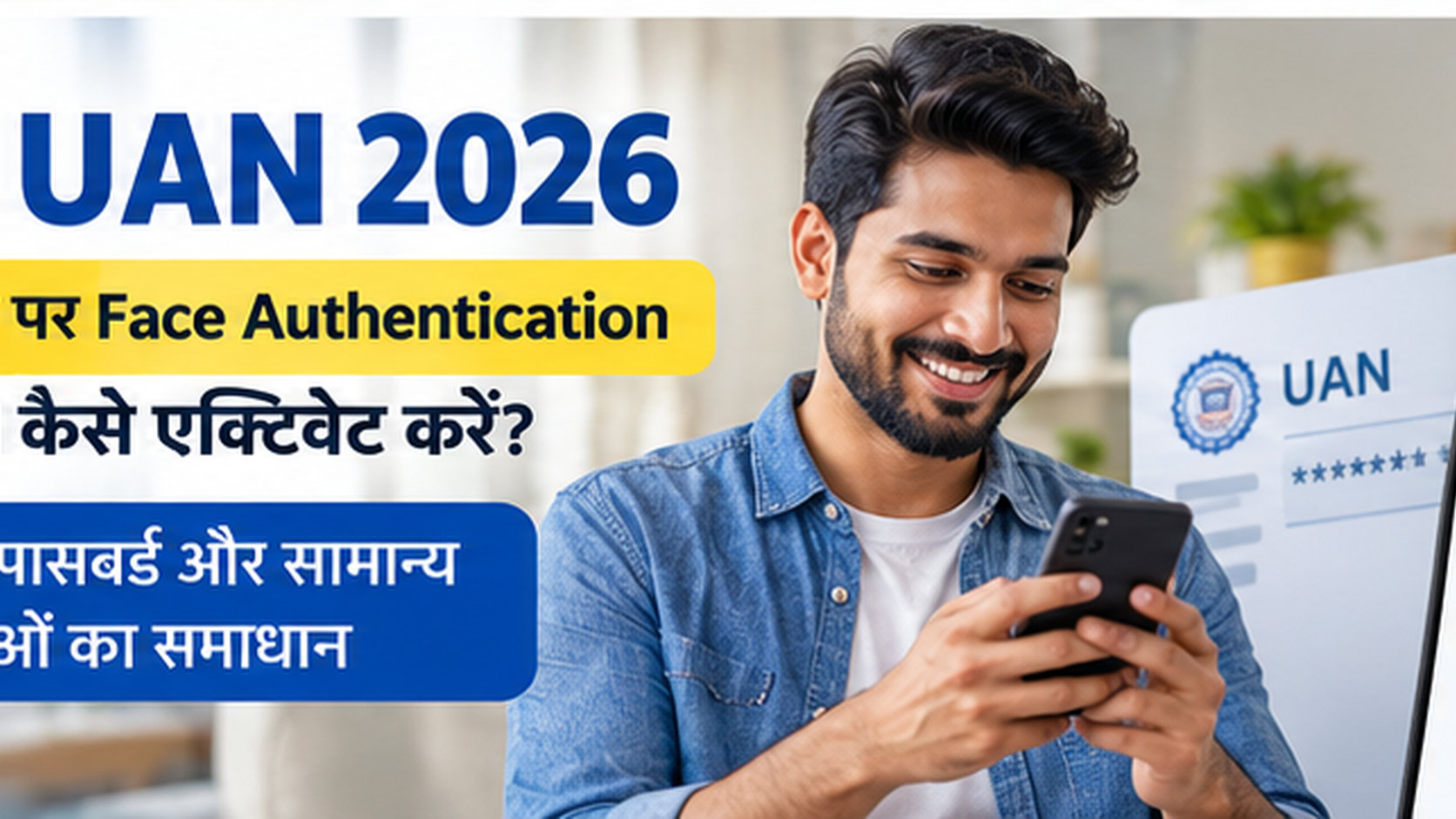
This independently written guide focuses on decisions a reader can actually make: identify the right official service, understand what each status proves, prepare the relevant evidence and know which authority owns a problem. It is not a government service, lender, medical provider or approval agency. Procedures can change, so the latest official notice and case-specific record take precedence over a general explanation. Reader focus: The core issue is identity and member-account administration, where different EPFO tasks have different authorised channels.
The important checks, one by one
The universal account number explained
A Universal Account Number organises EPFO member services. It is distinct from an individual PF member ID, bank account number or Aadhaar identifier. Before acting on a third-party tutorial, compare its instructions with the current official interface. Save the relevant reference number and use a secure channel for documents. A forwarded message can be useful for finding a topic to investigate, but it is not evidence that the responsible department has approved a new application route or changed a binding eligibility condition. The core issue is identity and member-account administration, where different EPFO tasks have different authorised channels. Security is part of correct application procedure. Do not pay a person who promises guaranteed approval or disclose an OTP, UPI PIN, net-banking password or screen-sharing control to “speed up” a record. Where a suspicious transfer or credential disclosure has already occurred, contact the affected institution through its verified support and fraud-reporting route.
Why the old portal tutorial is outdated
EPFO’s member portal directs users to UMANG Aadhaar face authentication for generation and activation; old direct-allotment web guides may no longer match the current procedure. When a message looks ambiguous, do not translate it immediately into “rejected”, “approved” or “paid”. Determine whether it describes a pending technical check, an information request, a recorded result or a final administrative decision. Ask the body responsible for that exact stage to explain the next authorised action, and keep the date of any written response. Use a three-column note: what the official system says, what reliable document supports your understanding, and who is authorised to decide the next step. This removes guesswork from follow-up. If the record involves personal identity or financial information, avoid publishing the full reference in social-media comments or uploading it to an unverified form.
Start with an authentic app
Install UMANG from a recognised official app store and access EPFO services through the authenticated application interface. The practical question is not merely whether the programme exists. It is which system records the relevant fact and what that record actually establishes. One screen might show enrolment, another a verification step, and a third a transaction or service decision. Mixing those signals can lead to an unnecessary application, a poorly directed complaint or an inaccurate conclusion about eligibility. The most effective enquiry is specific. State the relevant programme, application or account reference, date and exact discrepancy. Ask whether an additional document, correction, or official review is required; request a receipt or case number where the service provides one. A dated record is more dependable than a verbal promise that an issue will disappear automatically.
Face authentication has a separate app component
Aadhaar Face RD can be involved in the biometric verification flow. Follow the official application prompts rather than third-party APK offers. A realistic household or applicant may have an incomplete record even when another person reports a successful result. Dates, supporting documents, participating institutions and personal circumstances can differ. Rather than copying someone else’s steps, identify the specific checkpoint governing your own case. That distinction is particularly important whenever a headline refers to a maximum benefit or simplified process. Treat every quoted rate, limit, and application option as conditional on the current official rules. A public description explains the framework; it does not bind a bank or department to approve an individual. Where a procedure has changed, favour the newly published government notice over an archived screenshot and confirm which period the rule applies to.
Generating a UAN through the current route
The member portal identifies UAN Allotment and Activation under EPFO’s UAN services through Face Auth on UMANG.
Activation is not the same as allotment
An employee who already has a UAN should distinguish activating it from generating a new one; duplicate identities can complicate future member services.
Why demographic mismatches matter
A mismatch between Aadhaar details and member records can interrupt authentication. Correct the authoritative source rather than inventing a different date or name.
The linked phone number is part of the journey
Mobile availability and the Aadhaar-linked record can affect the verification journey. Confirm the phone route before repeatedly retrying.
A failed biometric match is not necessarily rejection
Face scans can fail for device or authentication reasons. Diagnose the displayed message instead of assuming the employee is ineligible for EPF services.
Check device conditions first
Before repeated attempts, check camera permission, app version, stable connectivity and instructions shown by the authorised interface.
Find the current UAN before duplicating
EPFO provides a Know Your UAN option. Retrieving a legitimate identifier is preferable to blindly generating another one.
UAN continuity matters across employers
A job change usually raises member-account linking questions rather than a need to create a new universal identifier.
Separate activation from passbook access
Successful activation is not proof that every employer contribution appears immediately in every interface; member services may update on different schedules.
UAN activation does not automatically validate every KYC field
A usable UAN and fully validated bank, nomination and other member information are distinct administrative checkpoints.
Nomination is a separate member responsibility
The EPFO member interface highlights e-nomination responsibilities. Do not mistake UAN activation for completion of every nomination requirement.
Not every record is self-correctable
Some record corrections involve employer or joint-declaration workflows. Face authentication does not override every established correction process.
Official support beats informal screen sharing
For persistent failures, use the UMANG or EPFO support channels. The member portal publishes an EPFO helpdesk number, 14470.
Fake UAN activation is a common credential lure
EPFO warns against calls or messages requesting Aadhaar, PAN, passwords, bank information or deposits. Official self-service should not require sharing secrets with strangers.
Make a support request easy to diagnose
A useful support request includes the relevant error wording, app version and attempt time while redacting personal identifiers.
The safe sequence for an employee
Identify the existing UAN, choose the correct UMANG Face Auth service, resolve authoritative identity discrepancies and separately review member KYC and contribution records.
Frequently asked questions
The universal account number explained?
A Universal Account Number organises EPFO member services. It is distinct from an individual PF member ID, bank account number or Aadhaar identifier. Use a three-column note: what the official system says, what reliable document supports your understanding, and who is authorised to decide the next step. This removes guesswork from follow-up. If the record involves personal identity or financial information, avoid publishing the full reference in social-media comments or uploading it to an unverified form.
Why the old portal tutorial is outdated?
EPFO’s member portal directs users to UMANG Aadhaar face authentication for generation and activation; old direct-allotment web guides may no longer match the current procedure. The most effective enquiry is specific. State the relevant programme, application or account reference, date and exact discrepancy. Ask whether an additional document, correction, or official review is required; request a receipt or case number where the service provides one. A dated record is more dependable than a verbal promise that an issue will disappear automatically.
Start with an authentic app?
Install UMANG from a recognised official app store and access EPFO services through the authenticated application interface. Treat every quoted rate, limit, and application option as conditional on the current official rules. A public description explains the framework; it does not bind a bank or department to approve an individual. Where a procedure has changed, favour the newly published government notice over an archived screenshot and confirm which period the rule applies to.
Face authentication has a separate app component?
Aadhaar Face RD can be involved in the biometric verification flow. Follow the official application prompts rather than third-party APK offers. Security is part of correct application procedure. Do not pay a person who promises guaranteed approval or disclose an OTP, UPI PIN, net-banking password or screen-sharing control to “speed up” a record. Where a suspicious transfer or credential disclosure has already occurred, contact the affected institution through its verified support and fraud-reporting route.
Generating a UAN through the current route?
The member portal identifies UAN Allotment and Activation under EPFO’s UAN services through Face Auth on UMANG. Use a three-column note: what the official system says, what reliable document supports your understanding, and who is authorised to decide the next step. This removes guesswork from follow-up. If the record involves personal identity or financial information, avoid publishing the full reference in social-media comments or uploading it to an unverified form.
Activation is not the same as allotment?
An employee who already has a UAN should distinguish activating it from generating a new one; duplicate identities can complicate future member services. The most effective enquiry is specific. State the relevant programme, application or account reference, date and exact discrepancy. Ask whether an additional document, correction, or official review is required; request a receipt or case number where the service provides one. A dated record is more dependable than a verbal promise that an issue will disappear automatically.
Why demographic mismatches matter?
A mismatch between Aadhaar details and member records can interrupt authentication. Correct the authoritative source rather than inventing a different date or name. Treat every quoted rate, limit, and application option as conditional on the current official rules. A public description explains the framework; it does not bind a bank or department to approve an individual. Where a procedure has changed, favour the newly published government notice over an archived screenshot and confirm which period the rule applies to.
The linked phone number is part of the journey?
Mobile availability and the Aadhaar-linked record can affect the verification journey. Confirm the phone route before repeatedly retrying. Security is part of correct application procedure. Do not pay a person who promises guaranteed approval or disclose an OTP, UPI PIN, net-banking password or screen-sharing control to “speed up” a record. Where a suspicious transfer or credential disclosure has already occurred, contact the affected institution through its verified support and fraud-reporting route.
A failed biometric match is not necessarily rejection?
Face scans can fail for device or authentication reasons. Diagnose the displayed message instead of assuming the employee is ineligible for EPF services. Use a three-column note: what the official system says, what reliable document supports your understanding, and who is authorised to decide the next step. This removes guesswork from follow-up. If the record involves personal identity or financial information, avoid publishing the full reference in social-media comments or uploading it to an unverified form.
Check device conditions first?
Before repeated attempts, check camera permission, app version, stable connectivity and instructions shown by the authorised interface. The most effective enquiry is specific. State the relevant programme, application or account reference, date and exact discrepancy. Ask whether an additional document, correction, or official review is required; request a receipt or case number where the service provides one. A dated record is more dependable than a verbal promise that an issue will disappear automatically.
Find the current UAN before duplicating?
EPFO provides a Know Your UAN option. Retrieving a legitimate identifier is preferable to blindly generating another one. Treat every quoted rate, limit, and application option as conditional on the current official rules. A public description explains the framework; it does not bind a bank or department to approve an individual. Where a procedure has changed, favour the newly published government notice over an archived screenshot and confirm which period the rule applies to.
UAN continuity matters across employers? — A job change usually raises member-account linking questions rather than a need to create a new universal identifier. Security is part of correct application procedure. Do not pay a person who promises guaranteed approval or disclose an OTP, UPI PIN, net-banking password or screen-sharing control to “speed up” a record. Where a suspicious transfer or credential disclosure has already occurred, contact the affected institution through its verified support and fraud-reporting route.
Separate activation from passbook access? — Successful activation is not proof that every employer contribution appears immediately in every interface; member services may update on different schedules. Use a three-column note: what the official system says, what reliable document supports your understanding, and who is authorised to decide the next step. This removes guesswork from follow-up. If the record involves personal identity or financial information, avoid publishing the full reference in social-media comments or uploading it to an unverified form.
UAN activation does not automatically validate every KYC field? — A usable UAN and fully validated bank, nomination and other member information are distinct administrative checkpoints. The most effective enquiry is specific. State the relevant programme, application or account reference, date and exact discrepancy. Ask whether an additional document, correction, or official review is required; request a receipt or case number where the service provides one. A dated record is more dependable than a verbal promise that an issue will disappear automatically.
Nomination is a separate member responsibility? — The EPFO member interface highlights e-nomination responsibilities. Do not mistake UAN activation for completion of every nomination requirement. Treat every quoted rate, limit, and application option as conditional on the current official rules. A public description explains the framework; it does not bind a bank or department to approve an individual. Where a procedure has changed, favour the newly published government notice over an archived screenshot and confirm which period the rule applies to.
Not every record is self-correctable? — Some record corrections involve employer or joint-declaration workflows. Face authentication does not override every established correction process. Security is part of correct application procedure. Do not pay a person who promises guaranteed approval or disclose an OTP, UPI PIN, net-banking password or screen-sharing control to “speed up” a record. Where a suspicious transfer or credential disclosure has already occurred, contact the affected institution through its verified support and fraud-reporting route.
Official support beats informal screen sharing? — For persistent failures, use the UMANG or EPFO support channels. The member portal publishes an EPFO helpdesk number, 14470. Use a three-column note: what the official system says, what reliable document supports your understanding, and who is authorised to decide the next step. This removes guesswork from follow-up. If the record involves personal identity or financial information, avoid publishing the full reference in social-media comments or uploading it to an unverified form.
Fake UAN activation is a common credential lure? — EPFO warns against calls or messages requesting Aadhaar, PAN, passwords, bank information or deposits. Official self-service should not require sharing secrets with strangers. The most effective enquiry is specific. State the relevant programme, application or account reference, date and exact discrepancy. Ask whether an additional document, correction, or official review is required; request a receipt or case number where the service provides one. A dated record is more dependable than a verbal promise that an issue will disappear automatically.
Make a support request easy to diagnose? — A useful support request includes the relevant error wording, app version and attempt time while redacting personal identifiers. Treat every quoted rate, limit, and application option as conditional on the current official rules. A public description explains the framework; it does not bind a bank or department to approve an individual. Where a procedure has changed, favour the newly published government notice over an archived screenshot and confirm which period the rule applies to.
The safe sequence for an employee? — Identify the existing UAN, choose the correct UMANG Face Auth service, resolve authoritative identity discrepancies and separately review member KYC and contribution records. Security is part of correct application procedure. Do not pay a person who promises guaranteed approval or disclose an OTP, UPI PIN, net-banking password or screen-sharing control to “speed up” a record. Where a suspicious transfer or credential disclosure has already occurred, contact the affected institution through its verified support and fraud-reporting route.
Why older tutorials may now be wrong
EPFO’s circular of 30 July 2025 states that from 1 August 2025 routine UAN allotment or generation would use Aadhaar-based Face Authentication Technology through UMANG. The notice preserves exceptions for certain international workers and citizens of Nepal or Bhutan. A video describing the universal older employer-led workflow may therefore be outdated for a 2026 applicant.
Prepare the phone and identity record
Use the official UMANG distribution channel and the applicable Aadhaar face-authentication software. A working camera, steady lighting and reliable connectivity help, but none substitutes for an accurate identity record. If verification fails, record the displayed message rather than asking an outsider to lend their photograph or credentials.
Resolving name or date-of-birth discrepancies
EPFO and Aadhaar records can differ because of spelling, birth-date or profile updates. Understand which source record is inconsistent before applying a correction. Use the appropriate authorised member, employer or UIDAI process. Do not send a full Aadhaar image, OTP or remote-control access to an unknown “UAN activation agent.”
Avoid creating a duplicate UAN
Someone who already has an assigned UAN should investigate the existing member record rather than making a second identity merely because they changed jobs. Employment transfers and new allotment are different questions. Ask the employer and official EPFO help channel to clarify the current record and appropriate next action.
Official sources
- https://www.epfindia.gov.in/
- https://unifiedportal-mem.epfindia.gov.in/memberinterface/
- https://www.epfindia.gov.in/site_docs/PDFs/EPFO_PRESS_RELEASES/09042025_EPFOLeveragesEnhancedDigitalServicesForUAN.pdf
This is an independent information portal, not a government website. Verify current official rules before applying.
Last updated: 20 Oct 2026